Robotic Welding SOftware

AutoaWeld Operating System

AutoaWeld OS is the operating system built into Autoa robotic welding cells. It runs on a PC in your workshop, alongside the robot controller, and gives your team one place to prepare the job, run the weld and keep the record. No moving between the teach pendant, the CAD station and a spreadsheet to get one part out the door.

One piece of software, one team behind it, with 40 years of welding experience built in.

Runs fully on-premise. Your models, your production data, your IP, inside your own network.
Why AutoaWeld OS?

Stop Losing Money To The Same Three Robotic Welding Problems.

Forty years on workshop floors has shown us the same pattern. A capable robot gets bought and installed, then left to fend for itself. The industry sold robots. It did not sell a complete system.
  • Idle programmed once by an integrator, then parked until the next long run makes it worth re-teaching.

  • Unsupported robot, software and welder from three different suppliers, so when a problem arises, everyone points at everyone else.

  • Invisibleno live status and no weld records, so nobody can say what it did last shift, let alone prove it.

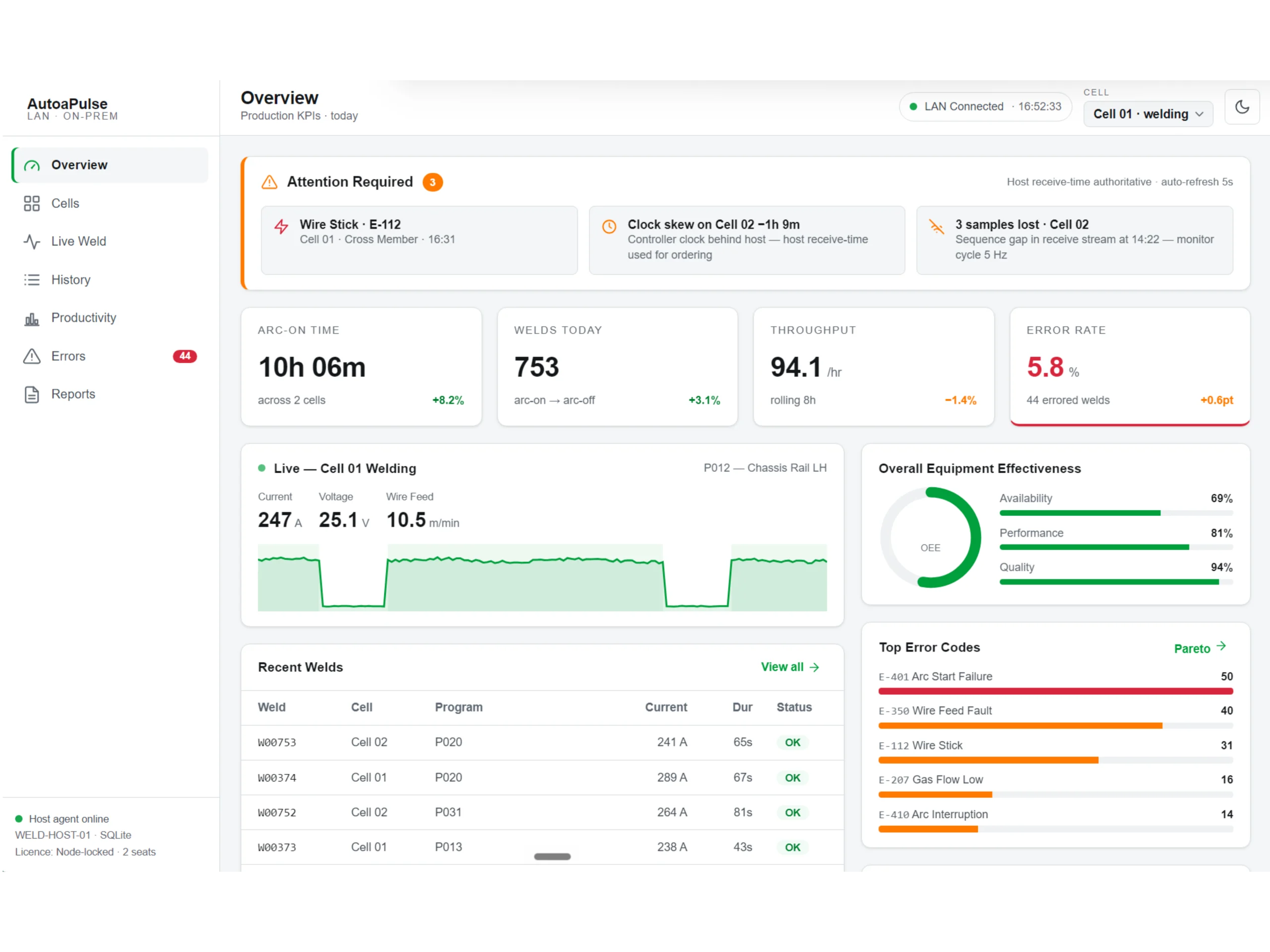
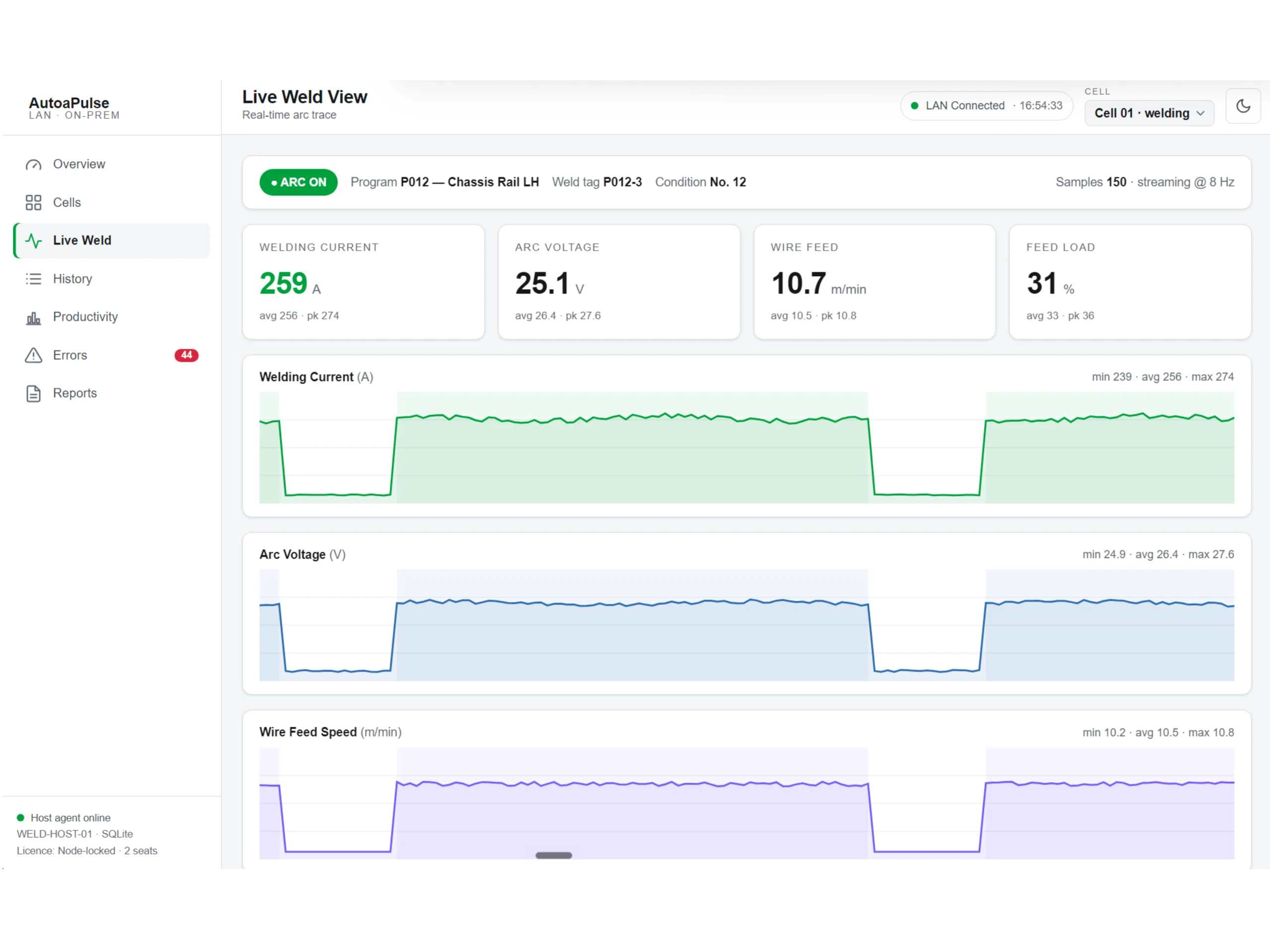
AutoaWeld OS AutoaPulse Live Weld View

How It Works

One System, Guiding Every Weld From Start To Finish.

Every weld runs through the same four stages, and each one closes a gap the industry left open: the idle robot, the unsupported system and the invisible shift. AutoaWeld Operating System covers every stage with the eight modules below.

01

Prepare

Turn a structural model into a robot-ready job. Correct origin, weld paths and proven starting parameters, ready to run without waiting weeks on an integrator.

02

Run

Start the job and watch it from your desk. System status, the controller display and live video from inside the cell, so you know what is happening before you walk over.

03

Prove

Every weld recorded as it happens. Parameters, faults, cycle times and OEE, searchable by part, cell or shift, so you can see what was welded and when.

04

Protect

Your models, weld data and IP stay on your premises. One team is accountable for the robot, the power source and the software, for the life of the system.

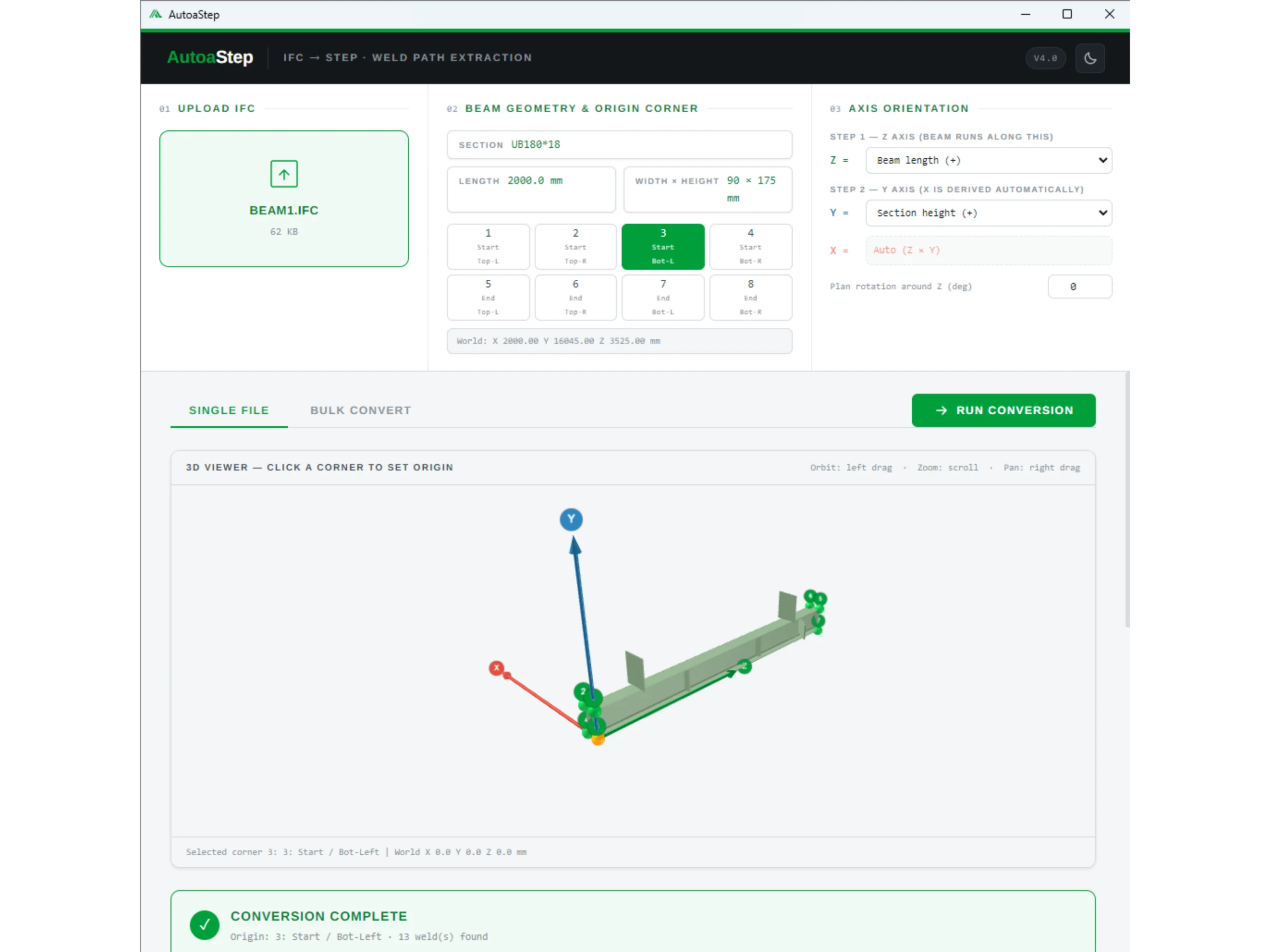
AutoaStep

Convert Tekla, Advance Steel and IFC models into robot-ready STEP files in one click, with the correct origin, axes and weld data already configured.

Weld Settings

Enter the wire, gas, joint type and material, and AutoaWeld OS recommends proven starting parameters based on published welding procedure data.

Cell Status

See your system inputs, outputs and operating status in one simple view. Green, amber and red indicators show what is happening before you walk over to the cell.

Live View

See what the robot controller and teach pendant are displaying, live from any authorised PC on your network.

Cameras

View live video from inside the cell from any authorised PC. Securely invite the Autoa support team when remote assistance is required.

AutoaPulse

Live cell monitoring, automated fault capture, searchable weld records, OEE dashboards and production reporting.

Secure

AutoaWeld OS runs fully on-premises, keeping your models, production data and IP within your own environment. No cloud connection is required.

Support

A support button is built into every toolbar. You control when a secure remote session begins, connecting you directly with robot welding technicians who understand the complete system.

Why We Do It Differently

Built By Welders, For The Workshop Floor.

For 40+ years, we have worked alongside manufacturers and seen the same gap between the robot, the welding equipment, the software and the people supporting it. AutoaWeld OS closes that gap, with one team accountable for the complete robot welding system.
  • One accountable partner robot, power source, torch, tooling, positioners, software and support, all from one team

  • Built from workshop experience – every module exists to solve a real production problem.

  • A long-term partnerconsultation, installation, training and ongoing support throughout the life of the system.

AutoaWeld Operating System AutoaStep

40+ Years

welding experience behind every robotic welding cell

3-4

manual welders freed for more skilled work

84%

decrease in cycle time

1 Team

for hardware, software and support

Frequently Asked Questions

Your AutoaWeld OS Questions, Answered.

AutoaWeld OS runs on a PC in your workshop, on your own network, alongside the robot controller. It is not a replacement for your controller and it does not sit in the cloud.

It gives your team one place to prepare the job, run the weld and keep the record, rather than moving between the teach pendant, the CAD station and a spreadsheet to get a part out the door.

AutoaWeld OS is designed for Autoa Robot Welding Cells, allowing the software, robot, controller, and supporting equipment to operate as one system.

Compatibility with other robotic welding equipment depends on the robot, controller, and cell configuration. Contact our team to discuss your options.

No. Production runs entirely within your own network. Weld records, models and production data stay on your host PC, and the cell keeps welding without an internet connection.

The one exception is user sign-in, which uses Microsoft Entra ID so you are not managing another set of passwords. Credentials are cached locally, so an internet outage does not stop the cell.

AutoaWeld OS runs on-premise inside your own network, so your business controls system access, data storage and backups. Remote support sessions are encrypted and only ever started by you.

User access is managed through Microsoft Entra ID, so your existing identity and multi-factor policies apply. Sign-in is the only part of the system that reaches outside your network, and credentials are cached so production continues if that connection drops.

Specific security or compliance requirements, including defence and IP-sensitive environments, can be reviewed with your IT or security team.

Access is managed through Microsoft Entra ID, so you decide who signs in using the policies you already have. Operators, engineers and management can each be given the access that suits their role.

Live View, Cameras and AutoaPulse can be reached from any authorised PC on your network, so the office can see the cell without walking the floor.

Weld records are stored in a database on the host PC and can be retained for as long as your business requires. The database can be included in your standard network backup process.

During installation, Autoa will help establish a suitable backup routine. If the host PC fails, the stored data can be recovered from your latest backup, held on your premises.

Yes. AutoaPulse records parameters, faults and cycle times against every weld, searchable by part, cell or shift, and records can be exported for quality documentation and customer audits.

If you weld to ISO 3834, AS/NZS 1554 or a customer specification, tell us what your documentation has to show and we will confirm what AutoaPulse can produce for it.

AutoaWeld OS is supplied with every new Autoa Robot Welding Cell. For existing compatible cells it is licensed separately under a software licence agreement.

It can run a single cell or multiple cells across more than one site. Licensing follows the number of cells, users and locations connected, so send us your cell count and who needs access and we will put a figure to it.

It depends on your production volume, your labour cost and how much time programming takes you now. Across the cells we have installed, most customers are inside 18 months.

Use our ROI calculator to model your own numbers, or send us a typical part and a production target and we will work it through with you.

Autoa configures AutoaWeld OS to suit your cell, network, users and production requirements. That covers software setup, connection to the equipment, operator training, and backup and access settings.

Most installations are running production within [X days/weeks] of the cell being commissioned, and local technical support continues after handover.

Contact Us

See AutoaWeld OS Run On Your Own Parts.

Bring us a part and a production target. We’ll walk you through AutoaWeld OS end to end, from model to finished weld, and show you the record it keeps along the way.