AutoaWeld Operating SYstem

AutoaStep

From Tekla to robot-ready, in one click.

AutoaStep converts structural steel beam IFC files from Tekla Structures into STEP files ready for AutoaWeld, with the origin, axes and weld data set exactly the way your robot expects. No manual CAD work between detailing and welding.
Autoa Operating System AutoaStep

How It WOrks

From Tekla IFC To Robot-Ready STEP.

Tekla exports IFC files in global building coordinates, with no control over origin or orientation. AutoaStep removes the manual CAD step this creates, for every beam, every day.

01

Upload Your IFC

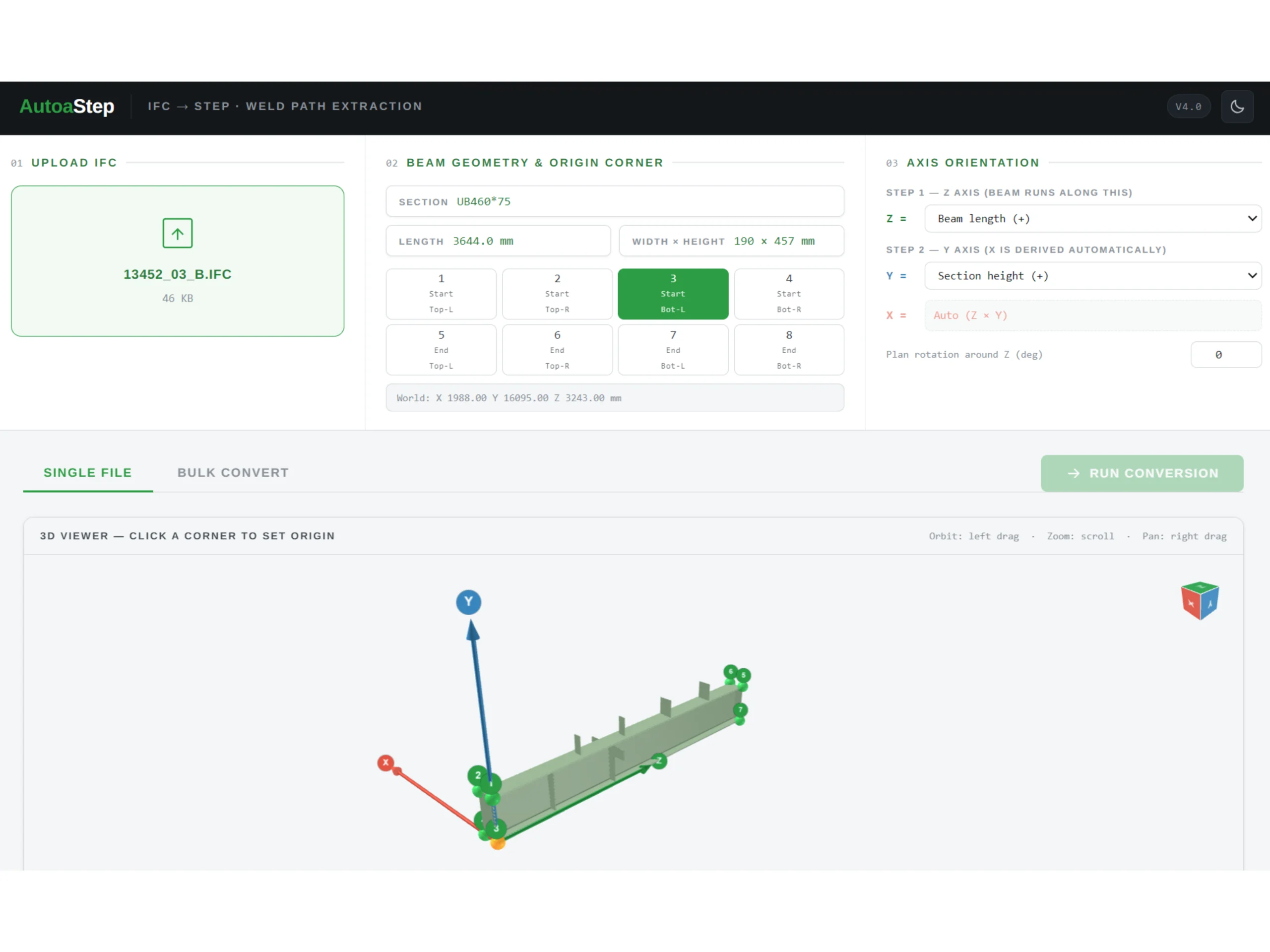
Drop in a beam IFC exported from Tekla Structures and see a full 3D preview, with section, length, width and height read automatically.

02

Set The Origin And Axes

Choose a corner as the origin, then match each axis to length, height and width, directly in the viewer.

03

Run The Conversion

Run the conversion and get a STEP file with the correct origin and axis alignment, along with the beam’s weld data exported to CSV.

  • Bulk conversion – Process whole batches of beams with saved profiles, applying one origin and axis setup to hundreds of parts.

  • Clean geometry, guaranteed – Bolt and fastener geometry that would cause warnings in AutoaWeld is excluded automatically.

  • Traceability preserved – Tekla part names carry through to the STEP file, so every part stays identifiable on the shop floor.

Contact Us

See AutoaWeld OS Run On Your Own Parts.

Bring us a part and a production target. We’ll walk you through AutoaWeld OS end to end, from model to finished weld, and show you the record it keeps along the way.